
How Kaila collects text-message consent
Kaila sends appointment texts for the businesses that use it: verification codes, booking confirmations, reminders, and notices when an appointment is moved, cancelled or missed. When a business turns these on, Kaila also texts that a booking request was received, accepted or declined, or that a time the customer asked about has opened up. For a group booking, only the person who booked gets texts. Kaila sends no marketing texts. A customer agrees in one of two ways. Both are shown below as they appear in the app.
1. When booking online
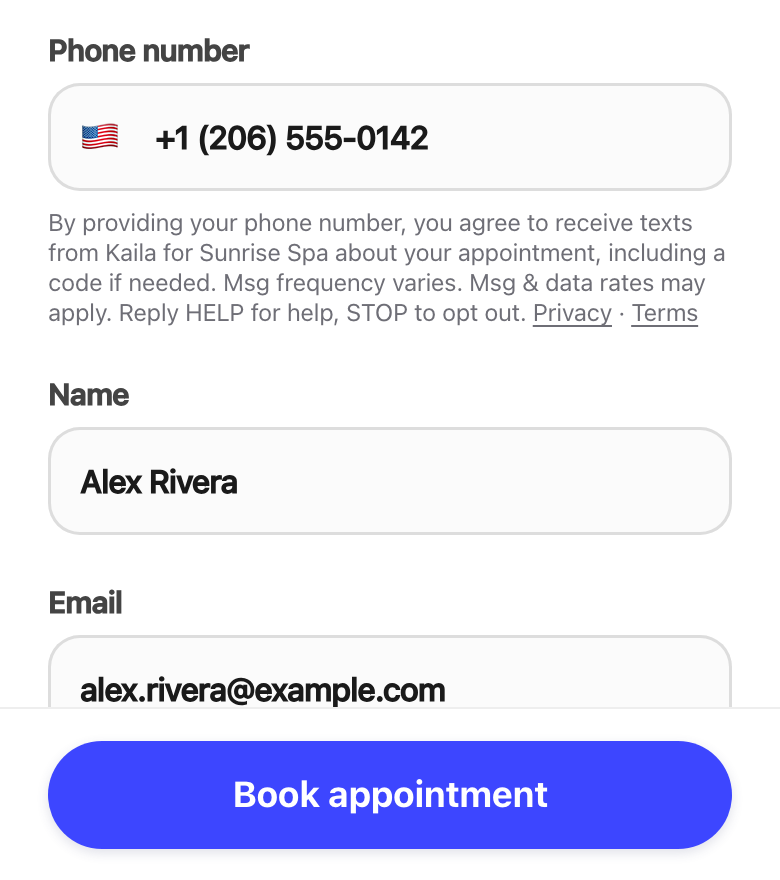
The customer enters their own mobile number on the business's Kaila booking page. The line right under the field, above the Book appointment button, says what they agree to, how to get help and how to stop, and links the Privacy Policy and Terms: “By providing your phone number, you agree to receive texts from Kaila for [business] about your appointment, including a code if needed. Msg frequency varies. Msg & data rates may apply. Reply HELP for help, STOP to opt out.”
2. The verification code
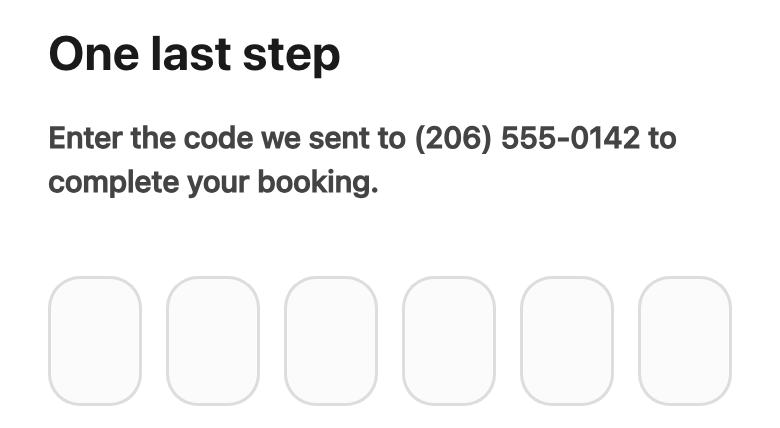
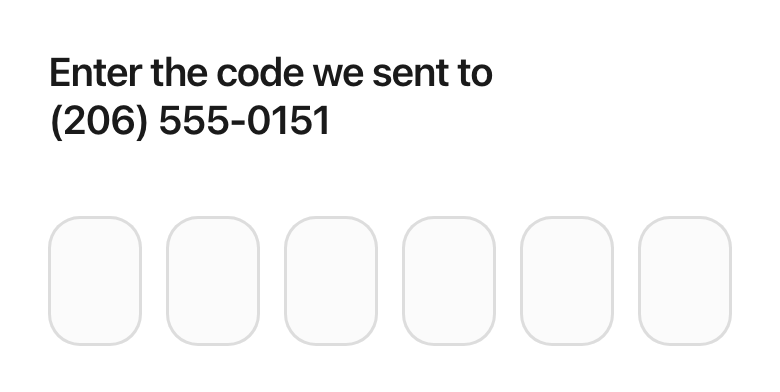
Some businesses require a new customer to confirm their mobile number before the online booking is completed. Kaila texts one 6-digit code right away, from the same Kaila number, and the customer types it here.
3. At the front desk, in person or by phone
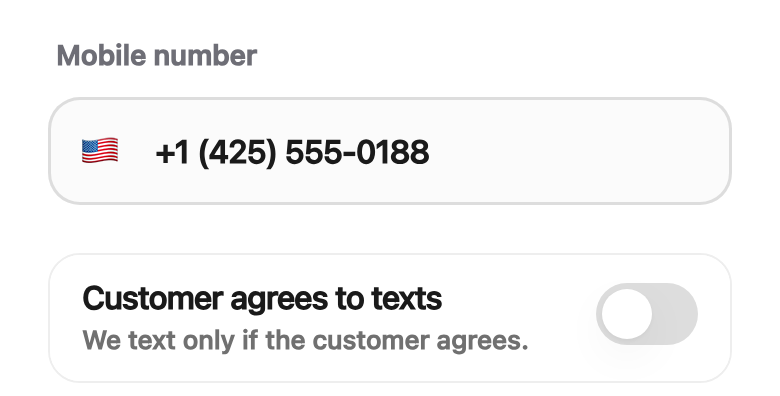
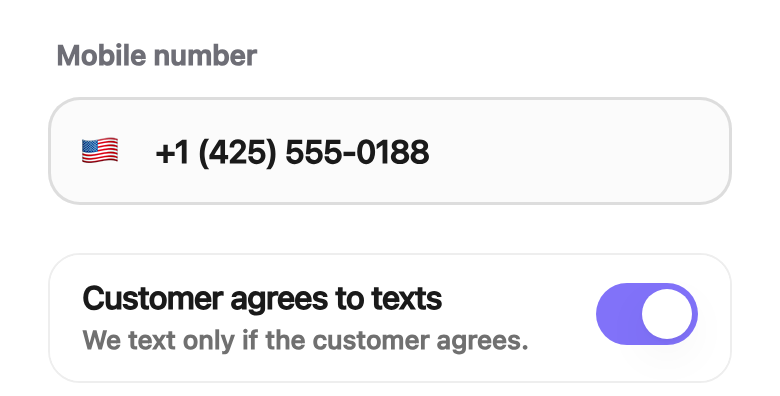
Staff ask the customer whether they would like texts about their appointment, for example: “Can we text you your appointment confirmation and reminders?” Staff turn the switch on only if the customer says yes. The switch is off by default, and a customer with it off gets no texts. A changed phone number turns it off. Kaila records who turned it on, when, and the phone number.
Shown with the app's English words. In the Chinese app the switch reads 「顾客同意接收预约短信」.
Business-account texts
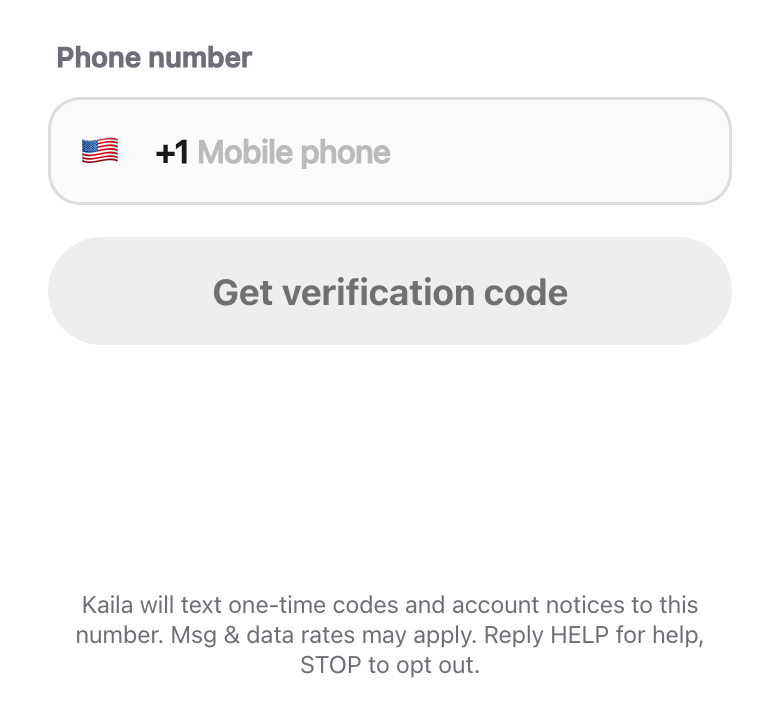
Owners, managers and staff get texts at their own number from a separate Kaila number. Codes to sign up, sign in, confirm a new sign-in number or confirm a sensitive change, such as a new payment method — sent only when they ask for one. One security notice to the old number when the sign-in phone number is changed, with a link to cancel the change. Notices about their Kaila account, such as a problem with a payment to Kaila. When staff invites are turned on, an owner or manager who adds a staff member enters the mobile number the staff member gave them for this, and Kaila texts that person one sign-in code and a link to the app. Msg frequency varies. Msg & data rates may apply. Reply HELP for help, STOP to opt out, START to allow texts again.